AI YouTube script prompts that preserve your evidence and voice
Use a source-aware drafting brief, staged prompts, and a claim review to make AI writing assistance more useful and less generic.
The quick answer
Give AI a specific viewer, promise, source material, and production constraints, then ask for an outline before a full draft. Require uncertain claims to be flagged and preserve your own examples. Review the result for accuracy, spoken clarity, and whether it delivers the promised payoff.
In this guide
“Write an engaging YouTube script about better audio” leaves the model to supply nearly everything that would make the video useful: the room, the equipment, the problem, the evidence and the result. A polished answer can still be interchangeable with hundreds of other scripts.
The repair starts before wording. Bring something specific to explain, then use the model to organize and challenge it. The following example is an illustrative brief, not a test Vidfora conducted.
Give the draft evidence it is allowed to use
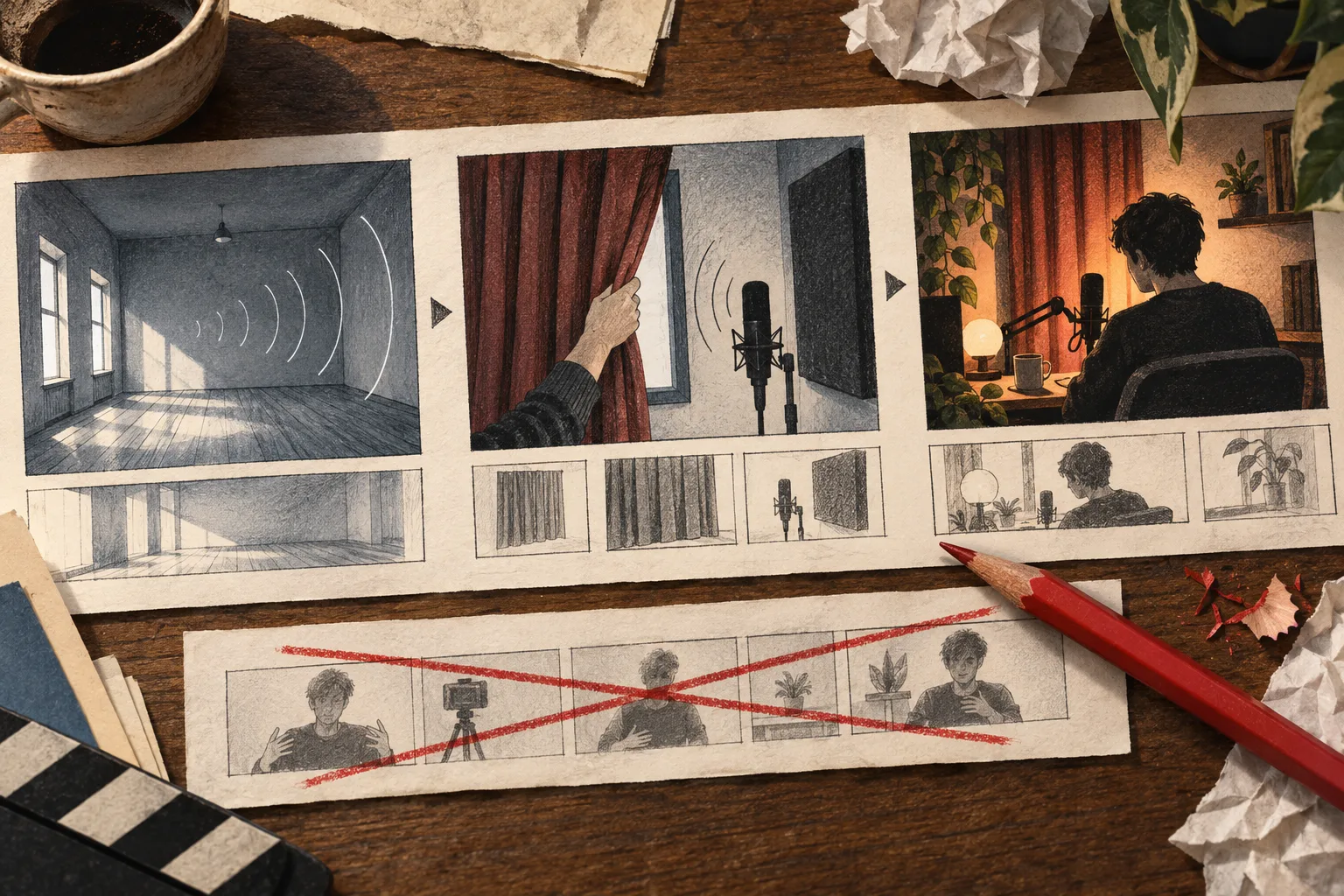
Suppose you plan to compare a bare recording room with the same room after adding curtains. Your notes might identify the microphone, its position, recording settings, the sentence read in both takes and what changed between recordings.
Do not ask the model to infer a decibel improvement from “it sounded better.” If you did not measure a number, there is no number to report. A listener comparison can support a narrower statement about the recorded examples.
Build a small evidence packet:
- The viewer's situation: recording speech in a bare spare room.
- The video's promise: hear the difference in this setup and understand the tradeoff.
- Available footage: room wide shot, microphone position, curtain installation and matched recordings.
- Limits: one room, one microphone position, no controlled acoustic measurement.
- Missing material: anything you still need to record or verify.
Ask for an outline with a job for every section
Use a prompt like this after supplying the notes:
Outline a video for the viewer described above. Begin with the two recordings, then explain the setup and what changed. For each section, state the viewer question it answers and the footage needed. Use only the supplied evidence. Mark missing information rather than filling it in. Do not invent first-person testing experience.
Review the outline before commissioning prose. A section called “Why audio matters” may add nothing for someone who clicked because their room sounds bad. Replace it with the condition that could affect the comparison: whether microphone placement stayed the same.
Replace confident filler with a filmable sentence
| Generic draft | More useful revision |
|---|---|
| Audio is the backbone of engaging content. | Listen to the end of this sentence in the bare room. |
| This simple trick transforms your sound. | Here is the same recording position after the curtains were added. |
| The results were incredible. | Compare the two takes before deciding whether the difference matters for your setup. |
| This works for every creator. | We tried one room; its surfaces and microphone position affect what you hear. |
The revised lines point to evidence and limits. They do not merely replace grand adjectives with smaller ones. If the footage cannot support a line, change the line or obtain the missing footage.
Draft one section, then read it aloud
Ask for the opening first. Supply a short sample of how you naturally explain things and request spoken sentences, not an essay. Read the result aloud while looking at the planned shots.
Mark places where you run out of breath, repeat the promise or describe something the viewer can already see. Keep a useful pause for the audio comparison. Faster narration is not automatically a better explanation.
Only then draft the setup and conclusion. Staging the work makes it harder for a long generated draft to hide repeated claims behind smooth transitions.
Run an evidence check, not another polish pass
Use a separate review prompt:
Compare this draft with the source notes. List every claim the notes do not support, every invented observation, and every shot we do not have. Identify repeated explanations. Do not add facts or fabricate citations. For each problem, recommend removing it, narrowing it, or obtaining specific evidence.
Inspect that critique yourself. A model can miss an unsupported claim or object to a valid one. Check names, numbers, quotations and source links directly. The script-research guide covers keeping those references attached to the draft.
Finish by asking what the viewer can now do or judge that they could not do at the start. If the answer is still vague, another style prompt will not supply the missing substance. Go back to the demonstration, comparison or explanation the video needs.
Common questions
Should I ask AI to write the entire script at once?
You can, but staged outlining and drafting usually make it easier to catch weak logic and unsupported claims. Review the structure before investing in polished wording.
How do I make an AI-assisted script sound original?
Supply your own evidence, examples, decisions, and voice. Replacing a few adjectives in a generic draft is less effective than building the script around work and observations that are actually yours.
Published by Vidfora, the product discussed in these guides. Examples are illustrative unless a source is named. Editorial approach · Suggest a correction